

API Creation Guide

Ourbit API Key Permissions and Instructions
- Each account can create up to 5 API Keys. API Keys expire 180 days after creation. Read-only permissions include: Spot Order History, Spot Trade History, Futures Order History, and Futures Trade History.
- Do not share your API Key with anyone to avoid potential asset loss. You should treat your API Key like a password and keep it secure.
- Please note that linking your API Key to a third-party platform may pose security risks. Proceed with caution.
Step-by-Step Guide to Creating a Personal Ourbit API Key
(Web) How to create a personal Ourbit API Key via Web?
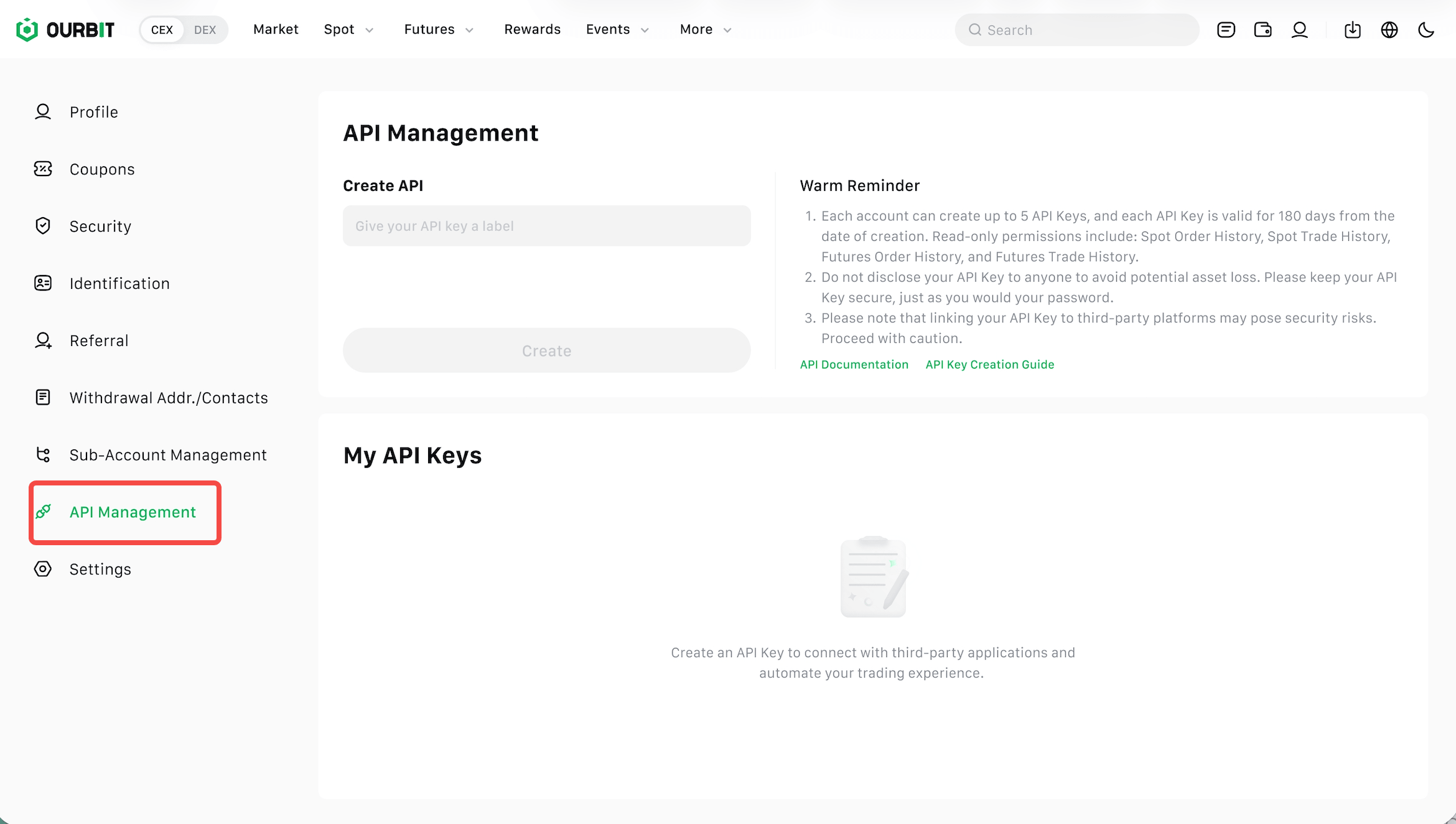
1.Log in to your Ourbit account, click on the Profile icon, and then click [API Management].

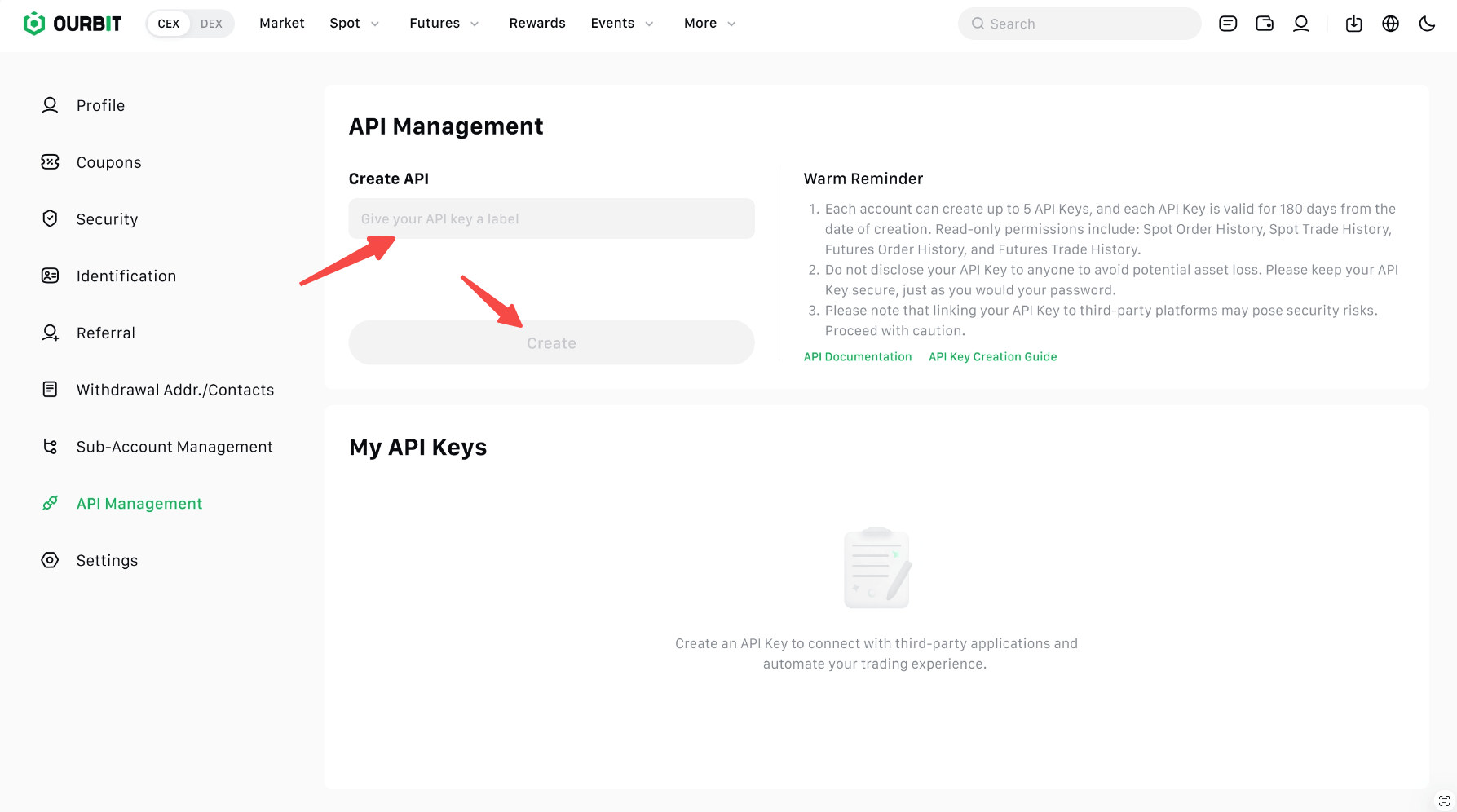
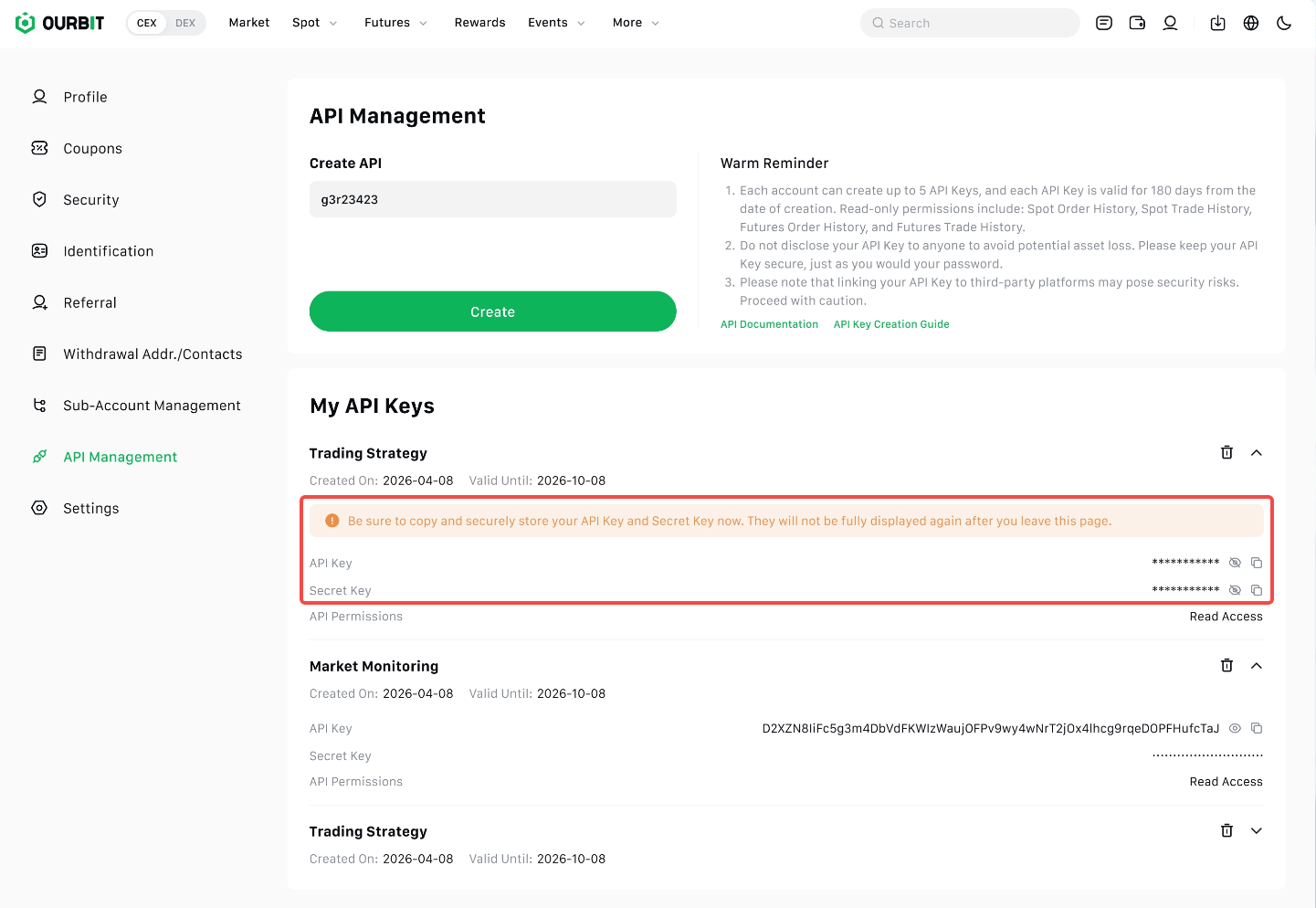
2.Under [API Management], enter a label/name for your personal API Key and click [Create].
- Please note that before creating an API Key, you must complete identity verification using at least 2 of 3 available methods (2FA).
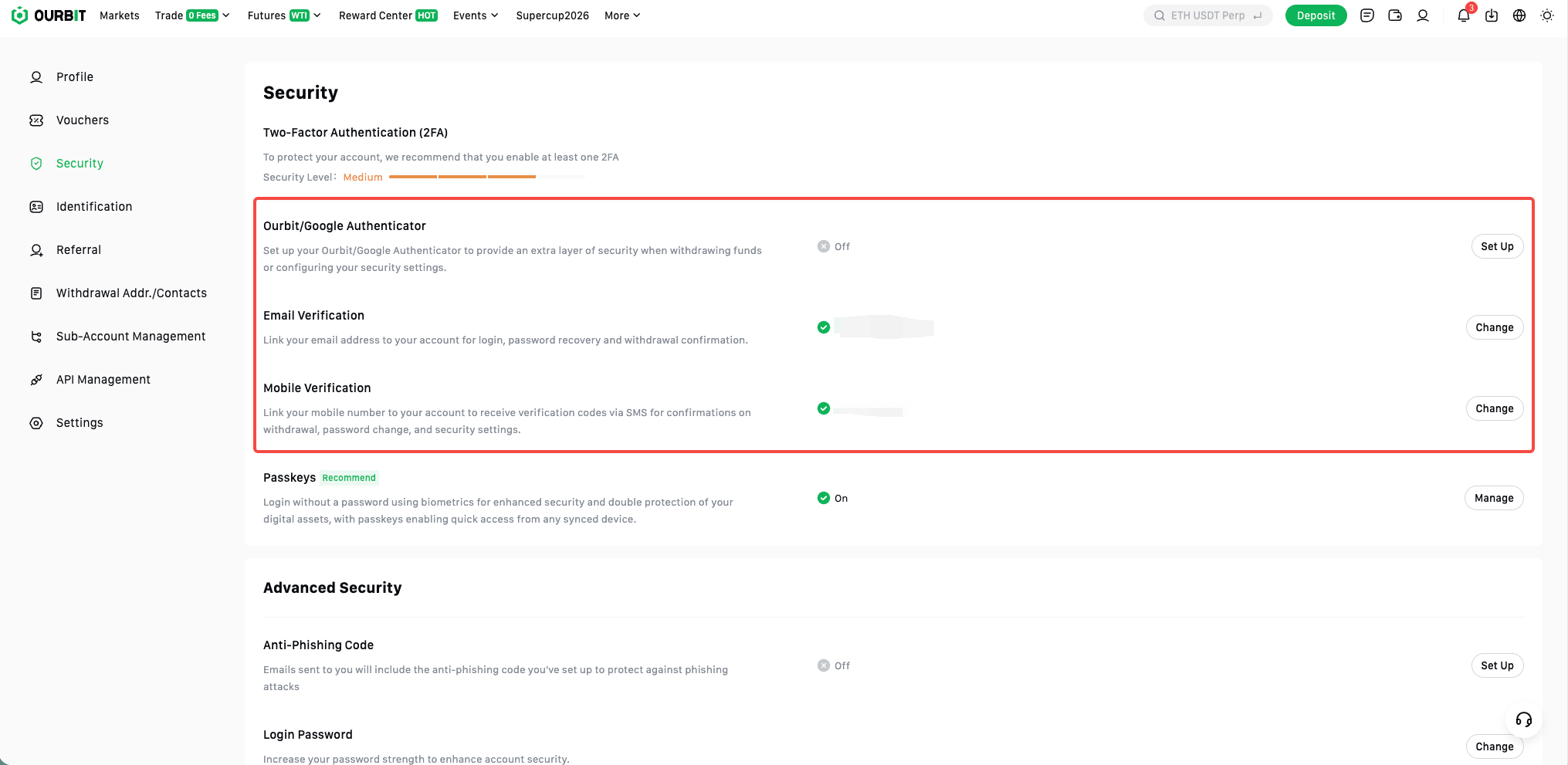
- https://www.ourbit.com/user/security
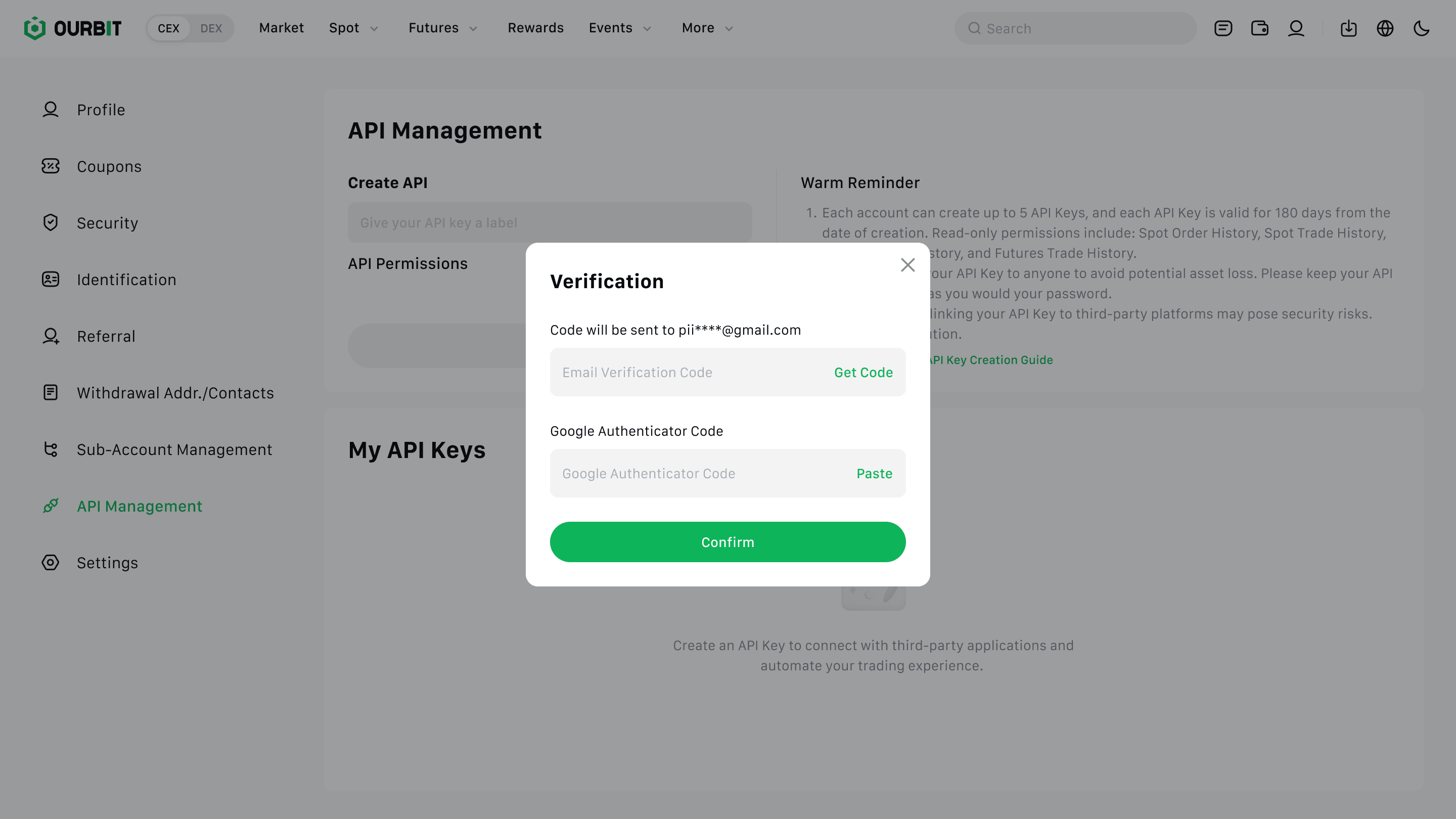
3.Verify your identity using your Two-Factor Authentication (2FA) device and passkey.
4.The API Key has been successfully created. Please note: Be sure to copy your API Key and Secret Key now. You will not be able to view them in full again after leaving this page.
(App) How to create a personal Ourbit API Key via App? (App v1.24.0 and above supports managing personal API Keys)
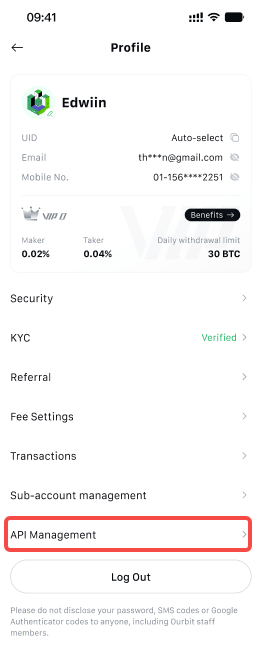
1.Log in to your Ourbit account, click on the Profile, and then click [API Management].
 |
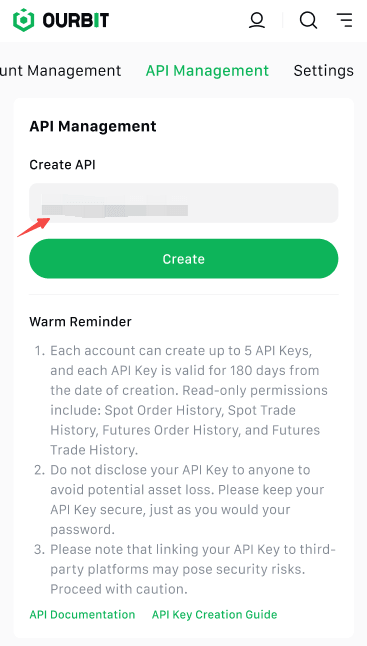
2.Under [API Management], enter a label/name for your personal API Key and click [Create].
 |
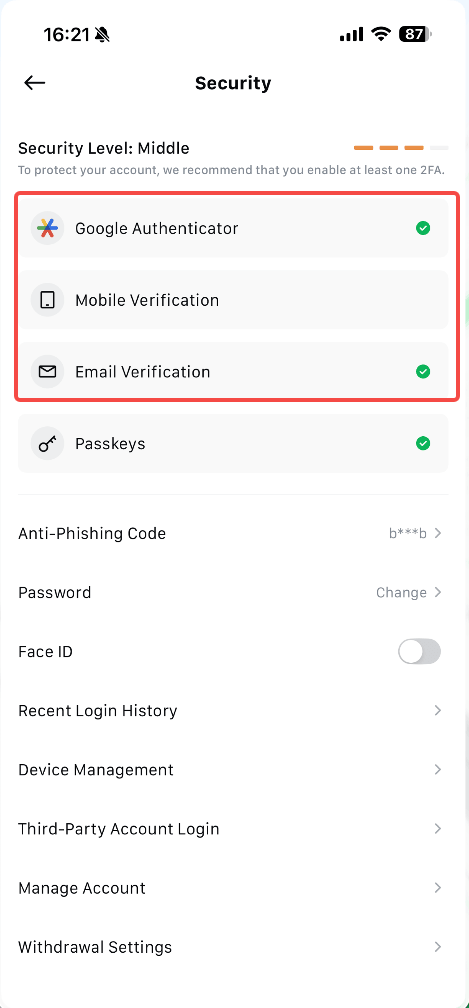
- Please note that before creating an API Key, you must complete identity verification using at least 2 of 3 available methods (2FA).
 |
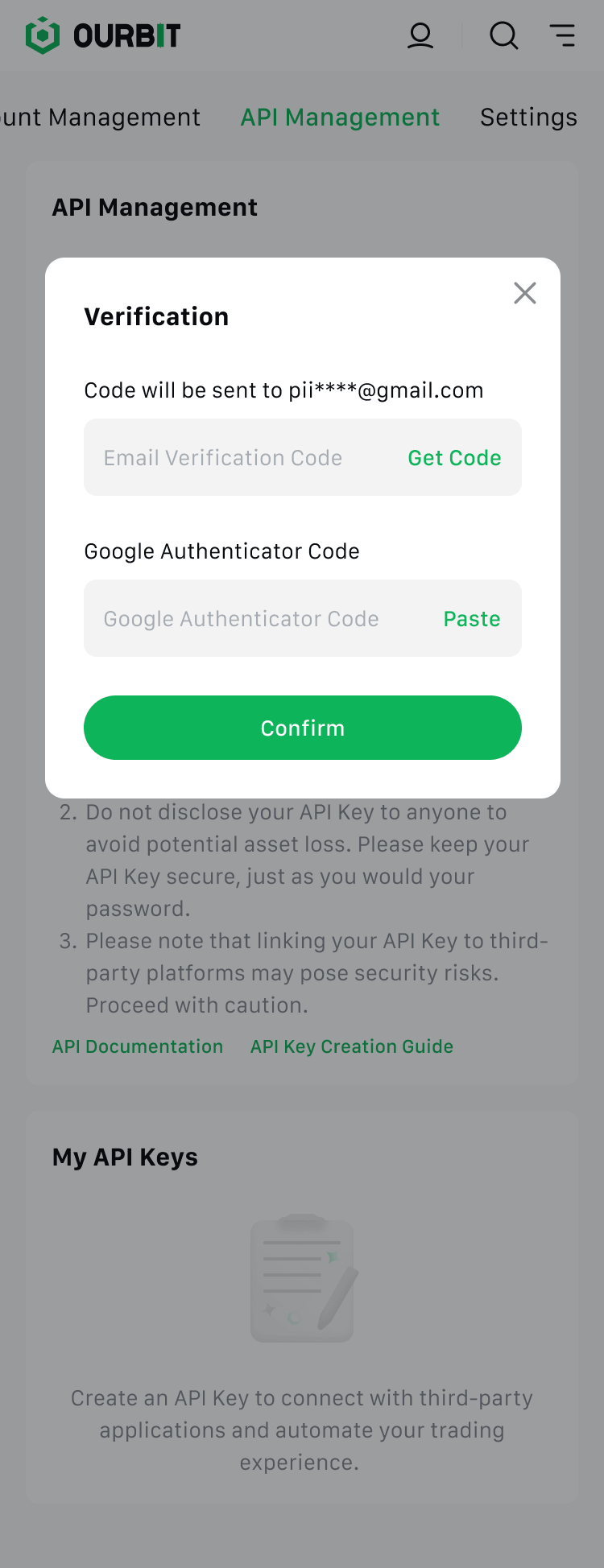
3.Verify your identity using your Two-Factor Authentication (2FA) device and passkey.
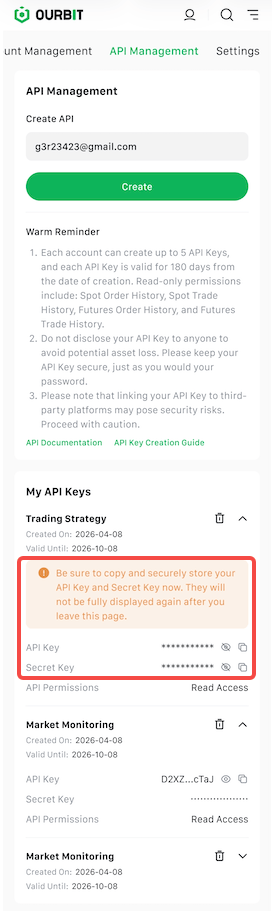
4.The API Key has been successfully created. Please note: Be sure to copy your API Key and Secret Key now. You will not be able to view them in full again after leaving this page.
 |